
For electricians
Electrical job management
When a customer rings about a faulty power point, you can check which electrician has time in their suburb and book the call-out while you’re on the phone. Your electrician gets the address, the site contact and the customer’s description of the fault in their app.
Use the same schedule for quoted installations and regular maintenance. The office can see what the customer approved, what the electrician found on site and which completed jobs still need an invoice.
Fit a call-out around booked jobs
If a customer in Enmore needs an electrician today, open Find a slot, enter their suburb and allow enough time for the visit. Jobalong checks the gaps between bookings and the suburbs either side. You can see whether someone has time to stop in or offer the next available day.
Choose the opening, add the fault the customer described and assign the electrician. If it’s a rental, select the service address under the property manager’s record and include the tenant’s contact details so your electrician knows who to call for access.
See how Find a slot works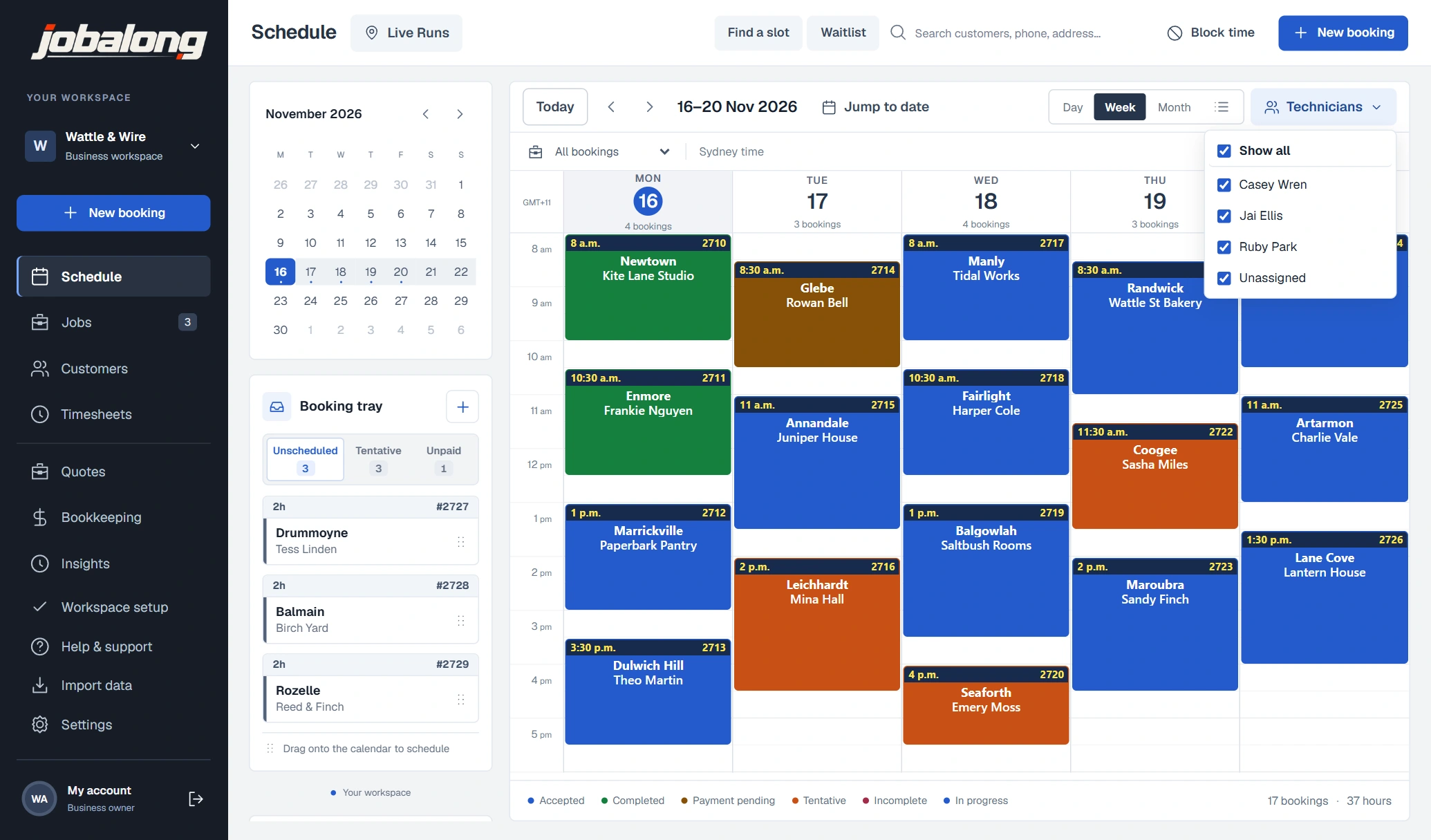
Quote the labour and materials
For a ceiling fan installation, set out who’s supplying the fan and what you’re charging to fit it. Pick your usual installation service from the catalogue or add your own lines for labour and materials. Send the customer a link so they can check the scope and approve the price on their phone.
Once they approve it, select Convert to booking. The address, scope and quoted items carry across. If you’re still waiting for the fittings to arrive, leave the job in the booking tray until you can confirm a date.
Give the electrician the site details
Before heading out, your electrician can open My Jobs, read the job notes and tap for directions. Keep details they’ll need on every visit, such as where the switchboard is or who has the plant room key, in the property’s site notes.
On site, the electrician can tick off the service checklist, add photos and record what they found. If they need to come back with a part, they can leave its model number and a photo on the booking so the office knows what to order.
See the field services appKeep track of return visits and maintenance
If a repair is waiting on a part, add a follow-up to the customer’s record. Give it a due date and assign it to the person chasing the supplier. When the part arrives, open Find a slot and select the electrician who attended the first time.
For a regular maintenance visit, set the booking to repeat at the agreed interval. If the site manager prefers a call before committing to a date, set a rebooking interval for that property and service. The office will see when it’s time to get in touch.
Invoice the work that was carried out
When the electrician signs off, open Ready to invoice in the office and select the completed job. Check the labour and materials against the work recorded on site, confirm the due date and issue the invoice.
Send the customer their invoice link. They can see what was fitted, how much they owe and where to pay. If they pay by bank transfer, record the amount against the invoice so the office can see what’s still owing.
See how quotes and invoicing work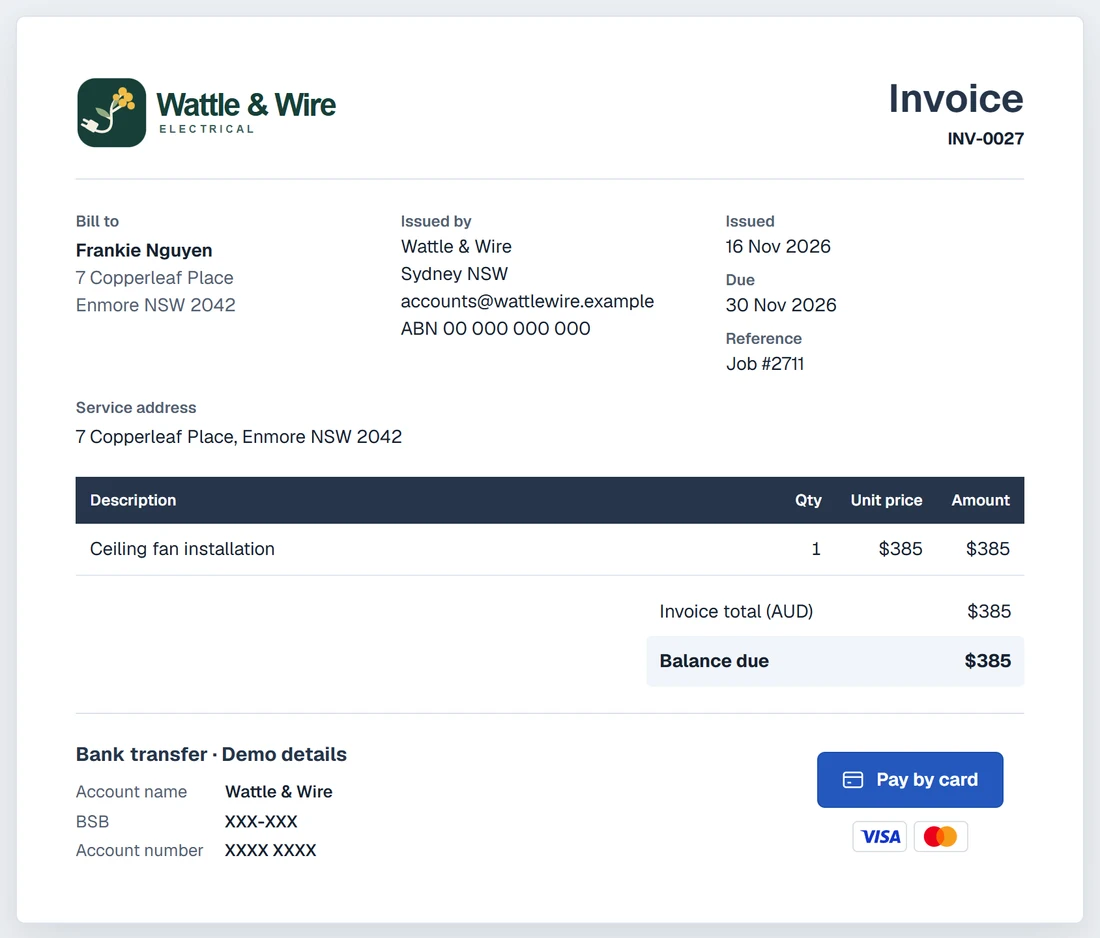
Common questions
Can I book a fault-finding visit before I know what the repair will cost?
Yes. Book the call-out with the fault the customer reported and the time you’ve allowed to investigate. Once you know what the repair needs, you can send a separate quote for that work.
The customer is supplying the light fittings. How do I show that on the quote?
Write that the customer is supplying the fittings in the scope of work. Add your installation labour and any materials you’re supplying as priced items. The customer sees both the scope and the price before approving.
We look after several shops for one customer. Can each shop have its own contact?
Yes. Save each shop as a service site under the customer, with its own address, contact number and access notes. Choose the shop when you book the visit.
We charge hourly for fault finding but a fixed price to fit a fan. Can I save both rates?
Yes. Set up fault finding as an hourly service in your catalogue and fan installation as a fixed-price service. Choose the relevant service when you take the booking.
We do our billing on Fridays. How do I find a call-out we haven’t invoiced?
Open Ready to invoice, choose the week’s service dates and select To invoice. You’ll see completed jobs still waiting for an invoice, including any drafts you started earlier.
What does it cost for three electricians and someone in the office?
Three field workers are included for $30 a month. A scheduler-only login for the office is free. Prices are in AUD and include GST.