
For cleaning businesses
Cleaning business software
When a customer calls for a clean, open your schedule and see which cleaner has time in their area. Book a one-off end-of-lease clean or set up a fortnightly house clean. Your cleaner gets the address, access instructions and work you’ve agreed to on their phone.
Keep the details that matter at each property, from where to pick up the keys to which rooms are included. After the visit, the office can check the cleaner’s notes and photos before invoicing the customer.
Set up regular cleans
For a customer who wants the house cleaned every second Thursday, book the first visit, choose the cleaner and set the repeat interval to fortnightly. If you set the booking to repeat on completion, signing off this visit creates the next one with the same time set aside.
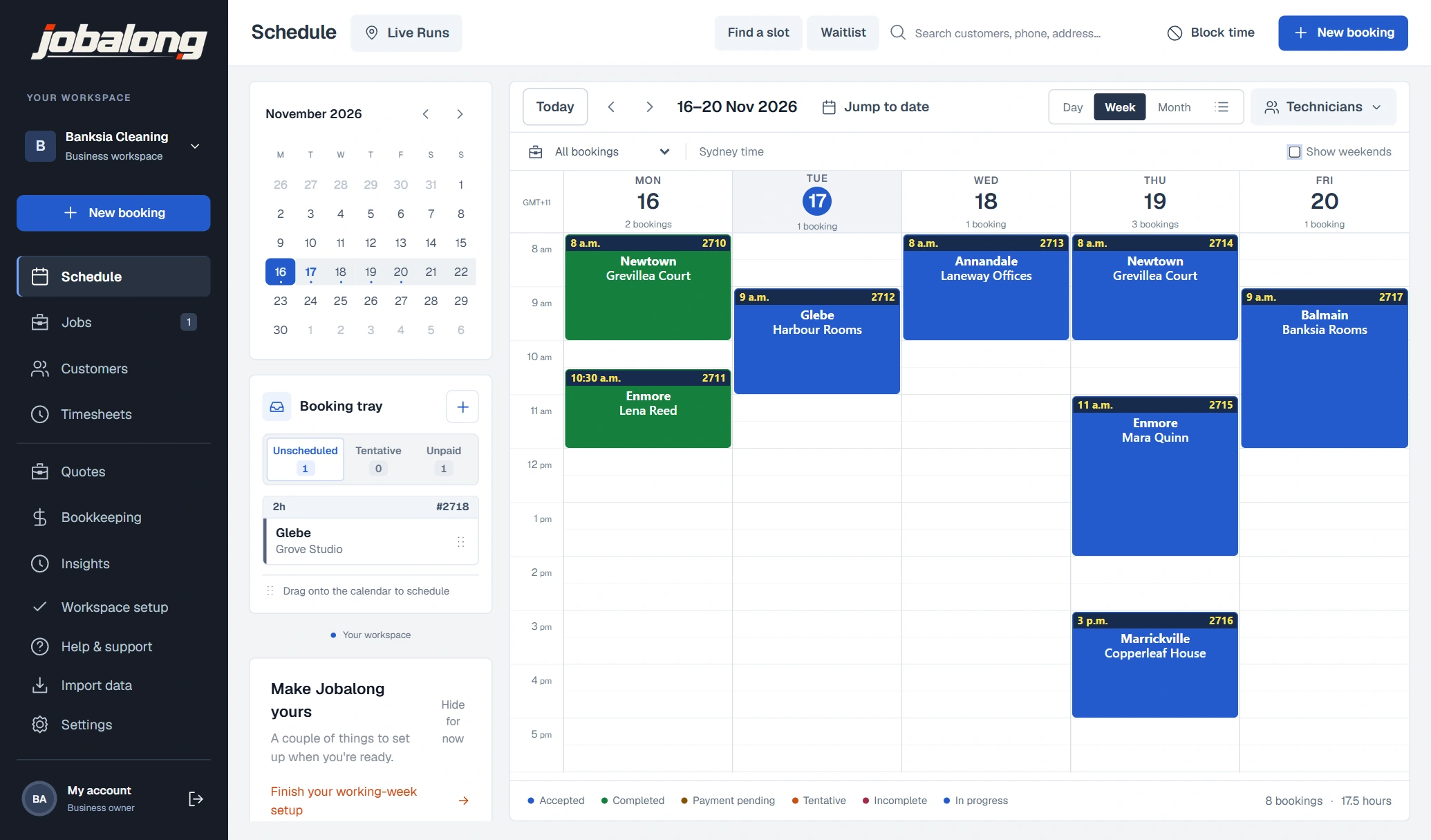
Open the week view to see your house cleans, office cleans and strata work together. Filter by cleaner when you want to check one person’s run before offering a customer their usual time.
Fit a one-off clean into the week
An end-of-lease clean might need three hours in one stretch. Open Find a slot, enter the property’s suburb and allow three hours for the job. Jobalong checks the gaps in your schedule and the suburbs booked either side, so you can offer a time that fits the cleaner’s run.
If you’re waiting for the agent to confirm when the keys will be ready, save the job as unscheduled. The details stay in the booking tray until you can agree on a time and drag it onto the calendar.
See how Find a slot worksKeep the access details with the property
If a property manager sends you to several addresses, save each property under their customer record. Give each site its own contact and access notes, then choose the right property when you make the booking.
Put regular instructions, such as where to park or which entrance is open after hours, in the site notes. If the agent needs the balcony cleaned for an inspection this week, put that request in the job notes for the visit.
Give cleaners their run sheet and checklist
Each cleaner opens My Jobs on their phone to see their visits in time order. They can tap for directions, read the site notes or call the contact on the booking if they can’t get in.
Set up a checklist for each cleaning service. On a common-area clean, the cleaner can tick off the foyer, lifts and stairwells, add a photo or note about a stain, then sign off the visit. If the strata manager rings, the office can open that job and see what was done.
See the field services appQuote the clean and invoice any extras
Save your usual services in the catalogue with a fixed price or an hourly rate. If a customer wants the oven or inside windows cleaned as well, add those as separate items so they can see what’s included in the price.
For a larger job, send an itemised quote for the customer to approve online. Convert the approved quote into a booking. Once the clean is done, open the completed job, check the items and send the invoice.
See how quotes and invoicing workCommon questions
A regular customer is away next week. Can I move just that clean?
Yes. Open that visit on the calendar and change the date. If you’ve already booked other visits in the series, they keep their dates.
Can I look for a time with the cleaner who usually does the house?
Yes. In Find a slot, select their usual cleaner, enter the suburb and the length of the clean. You’ll see openings for that cleaner.
Our agency manages six units. Do I have to set them up as six customers?
No. Keep the agency as one customer and add the units as separate service sites. Choose the unit when you book so the cleaner gets its address and access notes.
A cleaner is covering an office clean tonight. How will they know where to collect the keys?
Save the key collection instructions in the site notes and assign the visit to the covering cleaner. They can open the job on their phone and read the instructions before they head out.
Can my cleaners record their hours if they go straight from home to the first job?
Yes. They can clock in and out on their phone or enter a shift manually. At the end of the week, you can review the hours for each cleaner and approve them in the office dashboard.
Do I need to quote every fortnightly clean before I invoice it?
No. If you’ve already agreed on a regular price, book the service at that price. When it’s complete, prepare the invoice from the booking.